Users online:

Приказивање постова са ознаком record. Прикажи све постове

6. јун 2009.

Imageline Edison Standalone VST 2.1


Edison, the wave recorder/editor, will change forever the way you think about working with audio. It's a fully host-integrated audio editing and recording tool that loads into any VST compatible effects location and will then record or play audio from that position.
Edison
is a fully integrated audio editing and recording tool. Edison loads into an effect slot (in any mixer track) and will then record or play audio from that position. You may load as many instances of Edison as you require in any number of Mixer Tracks or Effects slots.

Key features:

Optimized for sampler use (sampler region, seamless looping)
Drumloop slicing (auto-slicing, slice manipulation)
Quick drag&drop support (between instances or to your sequencer/other plugins)
Various recording modes (start/stop with host, on audio input, can also work as transparent audio logger)
Time manipulation (time stretching/pitch shifting, scratching)
Effects: convolution reverb, blur, linear-phase equalization, ...
High-quality resampling
The smoothest spectral analysis display
Click-free editing
Full undo history
Intuitive editing with key feature tool-buttons
(Pascal) scripted manipulation of waveforms
Control surface support (FL Studio 8 version)


Download


MorphVox Pro 4.2.4


Voice changing software for voice-overs, instant messaging and online games. MorphVOX Pro Voice Changer will change the way you play games and chat. Change your voice to enhance your online gaming experience or to disguise your age, gender or identity. MorphVOX is optimized for online games, but is also is great for prank calling friends via instant messaging and VoIP. Download free voice and sound packs adding hundreds of new voices and sounds to MorphVOX Pro. Tweak each of these voices to produce unlimited voice modification. The Backgrounds feature lets users add any background sound while talking. Fool friends: sound like you're in the middle of a traffic jam or shopping at the mall. MorphVOX Pro advanced voice changing algorithms and ultra-quiet background cancellation provide clean audio output. The high-quality sound is perfect for creating voice-overs in video or audio projects.

Version 4.2.4 includes redesigned audio pipeline to support true-stereo for 3rd party plug-ins, updates to installer, and multi-language support.


Download

2. јун 2009.

Linguatec Voice Reader Studio R2


Voice Reader Studio
has the professional features that save time and money-intensive trips to the recording studio. Videos, presentations, etc. are recorded in no time at the touch of a button. The audio files created can be circulated to a large listenership.

Recommendation: Voice Reader Studio is perfect for professional use.

The benefits at a glance:
# Fast and efficient conversion from text to audio (32 KBit/s – 160 KBit/s)
# Male and female voices to choose from (only available for British English and German)
# Easy to use editor function for correcting default pronunciation
# Saving specific pronunciation properties in speaker profiles
# Integrating sound effects
# Easy pronunciation, dialog and pause control
# Licensed unlimited distribution of created audio files

The most important Voice Reader Studio plus points

* Professional text recording Constant lack of time and a visual information overflow are often the causes of even the most important texts being overlooked. With audio files your readers can decide themselves what information they want to listen to. Your readers gain flexibility; you gain greater coverage.

* The Studio edition: Professional and simple Voice Reader Studio has the complete functionality of the Voice Reader Home — and a good deal more. What's the same? Text is converted to audio with a simple touch of a button and quick as a flash — as usual!

* "Hello, my name is Marc" Voice Reader Studio now also has a male voice in the exceptional Voice Reader quality. And you can also have a friendly male avatar as an animated speaker if you like (available only for Voice Reader Studio German and British).

* Simply correct pronunciation There will always be words that are not pronounced quite properly. Not a problem: With an easy to use pronunciation editor, even non-linguists can very easily set the pronunciation. The Editor has two entry possibilities: By using a simple coding in SAMPA (the Speech Assessment Methods Phonetic Alphabet) or by entering in text format, e.g. the pronunciation of "Beckenbauer" will be saved as "Bekenboua".

* Flexible sound quality setting Depending on the required application, you can set the sound quality that you actually require. After all, telephony has different requirements to a radio production. With Voice Reader Studio you can set sound qualities from 32 KBit/s to 160 KBit/s.

* Easy dialog management You want to generate a dialog with different voice profiles? With simple commands you can control dialogs with allocated speaker roles, adjust pronunciation and control pauses. Listen to Julia and co. in the roles of Red Riding Hood and the Wolf.

* Create speaker profiles To implement allocated speaker roles, simply create profiles with Voice Reader Studio. Save the combination of one-time set volume, speech speed, pitch and gender under the speaker name. Situation-dependent pronunciation changes, e.g. intentionally slower speaking or higher volume effectively emphasize the basic profile.

* Import sound effects Voice Reader Studio allows you to integrate sounds very easily. You can import an elegant applause, or replenish the spoken word with original sounds, as in a radio play.

* Reproduce generated MP3 files as much as you want With Voice Reader Studio you have no boundaries — not for your creativity, and certainly not for your audience. Make your work available to as big a listenership as you want. Whether it be website content as MP3s, your breakthrough as an audiobook author or learning material for your students: generate once — reproduce x times!

* The most diverse application scenarios Embellish your websites, presentations, training documents, Flash demos or company videos professionally, easily and cost-effectively with sound! We have arranged the applications that this is best applied to here. But of course there are no limits placed on your creativity!

* Add-on options Even more to choose from! If you are interested in an integration interface for integrating into your own workflow, or batch processing for rapidly recording large text volumes, just contact us. We have a solution for everything.


Download: Part 1 | Part 2 | Part 3 | Part 4 | Part 5 | Part 6 |
Password : www.dl4all.com

Snooper v1.36.5


Snooper is a professional sound activated audio recording software package with many options and features.

Secret recordings: Recording automatically starts when sound is detected from the microphone input and stops when there is silence. Stealth mode will hide the program from taskbar and tray. System wide user definable hot keys can be set to control the program.

Smart recording system: Will start the recording before the actual sound trigger occur.

Dictation mode: All recordings are collected in a single mp3-file. Locate recordings by time stamps in the recorded file.

E-mail handling: After the recording is done the audio file can automatically be sent by e-mail to designated address. The maximum file size option will split a recording in to smaller chunks when sending e-mail. So if you can receive e-mail you can listen to what is sounded in your Snooper equipped PC, wherever you are in the world!. You can also create voice mail with the integrated voice mail function.

Scheduler: Several recording can be setup to start and stop in different mode and at specific time and date.

MP3 technology: Using compact MPEG layer 3 audio format the file size will be less than 4 MB for one hour of recording! Various settings available including bit rate, sample rate, mono, stereo, etc.

Suggested applications:
- Telephone recordings.
- Voice notes.
- Unattended recordings of radios etc.
- Scanner recordings. Catch channels that rarly have activity.

System requirements:
Windows 98/ME/NT4/2000/XP, Sound card, microphone and Internet connection for voice mail.


Download

AV Voice Changer Diamond Edition 6.0


In case you are still wondering, this program can modify your voice. However, this is not all that it does. In fact, it can modify any sound that you hear or record using your sound card. It can be used to modify your voice in online chatting or to add real-time effects to music. If you don't want someone to know your real voice, AV Voice Changer can come in handy.

The program is relatively easy to use. It intercepts any audio signal that passes through your sound card and modifies it. It can hook the WaveOut signal as well as DirectX audio streams. This means that it's compatible with virtually every media software. I tried recording my changed voice with Windows's Sound Recorder and had no problems. I also tried using the call feature of Yahoo Messenger, while AV Voice Changer was running. I didn't find any compatibility issues. Everything worked like a charm. Well, I had a minor problem, but it wasn't a software issue. The friend I called, hang up on me because he didn't recognize my voice.

You can choose whether you want to hear your modified voice in your speakers by clicking the "Duplex" button. AV Voice Changer features a sound recorder. It can be used to save the audio output of your sound card. The recorder supports naming the captured sound files automatically by using templates. You can modify these templates. For example, you could name the captured files depending on the application, which was capturing or playing, at the time-and-date when recording started.

The "Nickvoices" feature gives you access to a couple of voice changing presets. These presets will make you sound like a baby, like an opera singer, or even like the opposite sex. Of course, it's also possible to modify the pitch and the timbre of your voice. As owner of AV Voice Changer, you can download the newest voice effects from the publisher's website.

Pluses: It's possible to modify the tone of your voice by using the graphic equalizer embedded in this software. The program's user interface is skinnable giving you access to multiple effects that can be added to your voice in real-time. The voice comparator is another cool feature and certainly a plus. It shows you how similar your voice is compared to well-known people. After the setup is complete, you are offered to install AV Morpher Gold, a free music player and editor.


Download

31. мај 2009.

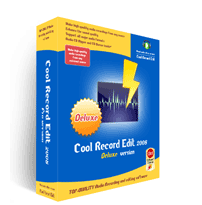
Cool Record Edit Deluxe v7.8.5


Cool Record Edit Pro will help you transfer LPs, tapes, live performances, Internet radio, DVD, TV or any other sound source to your hard drive.
The software helps protect your valuable recordings - just set the sound source, the recording quality, and volume, then start recording.

Cool Record Edit Pro allows you to perform various operations with audio data such as displaying a waveform image of an audio file, filtering, applying various audio effects and more.

Cool Record Edit Pro includes a click and crackle filter for cleaning vinyl records, a noise filter for cassette-tape recordings, and an equalizer to enhance the sound quality of all recordings.

Key features

Recording:
Record new audio file from a microphone or another sound source.

Editing:
Open, create and save audio files. Play an audio file or any part of it. Visually edit an audio file (Cut, Copy, Delete, Paste, Paste From File, Mix, Mix From File and Insert or Delete noise or silence in an audio file).

Display:
Display a waveform window of an audio file and apply zooming.

Digital effects:
Apply different effects (Amplify, Delay, Equalizer, Fade, Flanger, Invert, Normalize, Reverse, Multi Tap Delay, Silence, Stretch, Vibrato, Echo, Chorus)

Audio filters:
Apply different filters to the selected part of an audio file (Ban Pass Filter, High Pass Filter, High Shelf Filter, Low Pass Filter, Low Shelf Filter, Notch Filter)

Support all major audio formats:
Cool Record Edit Pro supports a wide range of audio formats, such as MPEG (MP3, MP2), WAV, Windows Media Audio, Ogg Vorbis, Audio Tracks and Dialogic VOX. It is easy to convert an audio file from one format to another

Ease of use:
Cool Record Edit Pro provides a customizable interface, allowing you to build projects the way you want. It also supports standard Windows keyboard commands and mouse shortcuts

Markers:
Use markers in your audio file to quickly select between different selections!

Selection tool:
Select a part of your audio file precisely with the selection tools of Cool Record Edit Pro


Download